Photo requirements
Use a bright, front-facing portrait with natural light, a visible face, and minimal obstruction for the most useful result.
Color analysis from photo
Last updated: May 3, 2026
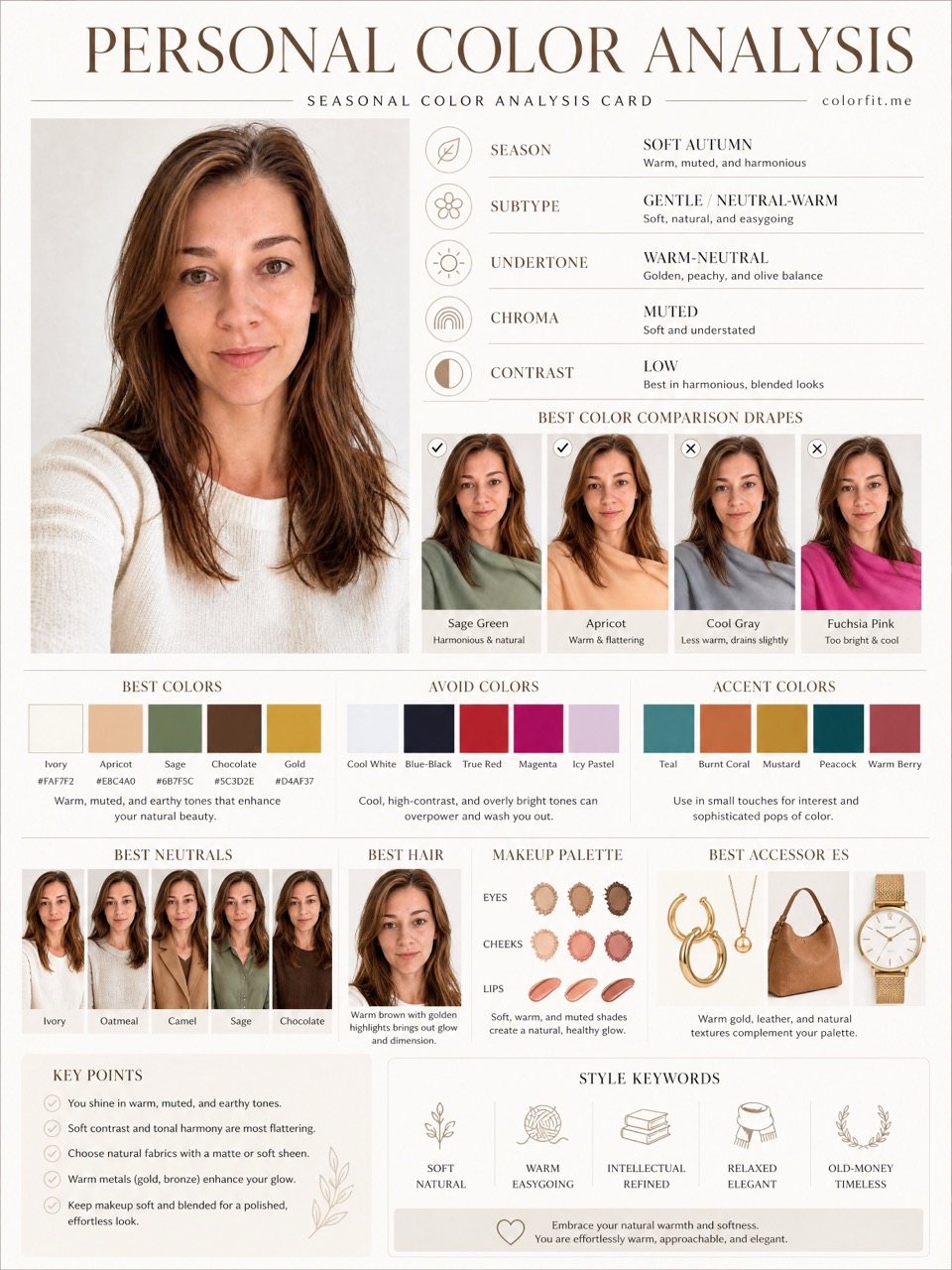
A front-facing portrait gives colorfit.me a consistent reference for visual boards, so you can compare color directions before buying clothes, makeup, glasses, or hair dye.
Short answer
A front-facing portrait gives colorfit.me a consistent reference for visual boards, so you can compare color directions before buying clothes, makeup, glasses, or hair dye.
Use a bright, front-facing portrait with natural light, a visible face, and minimal obstruction for the most useful result.
Instead of only naming a season, colorfit.me lets you choose six colors you are considering and uses them inside the report prompts.
The paid report includes eight high-resolution vertical boards that can be saved, reopened, and used while shopping.
Questions
Yes. A clear selfie with natural light and an unobstructed face is usually enough.
No. The selected colors and report prompts also shape the visual recommendations.
You can create another order or generate with the correct photo from the paid order link.
Ready when you are